



 Claude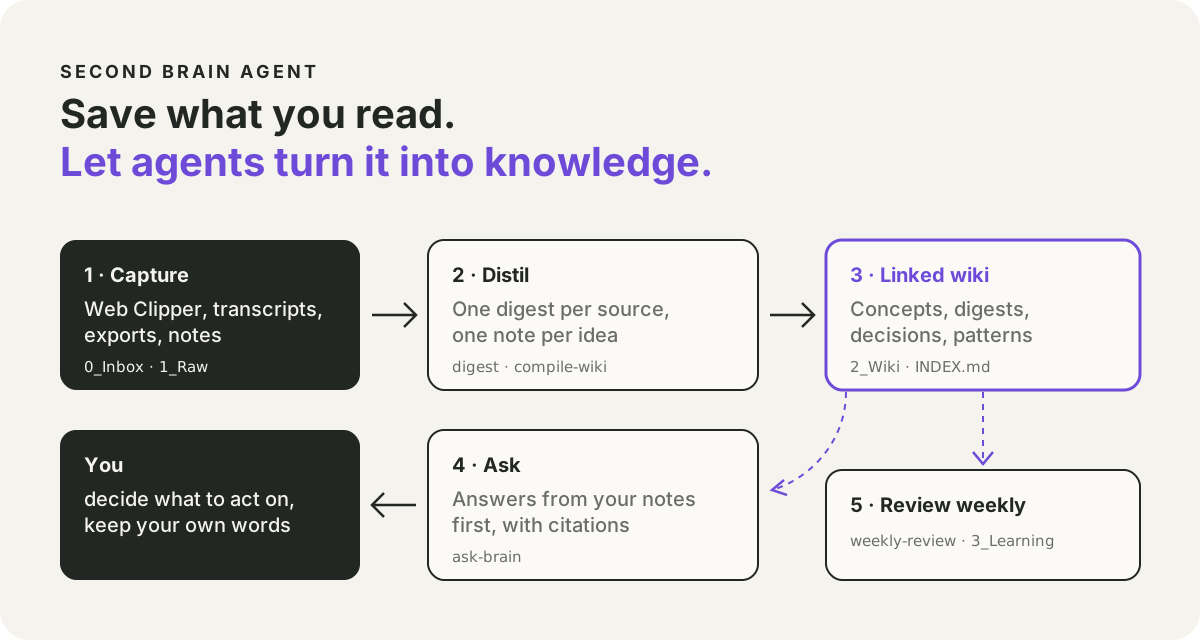
What it fixes
You save far more articles, threads and videos than you remember. The saving is easy. Filing, connecting and finding them again is the part nobody has time for.
Second Brain Agent is a notes vault for Obsidian (a free notes app) with a short rulebook for your AI agent. You keep saving things the way you already do. The agent does the filing, the fact-checking and the finding.
What a normal week looks like
Save as you go. You read something useful and save it with Obsidian's Web Clipper browser button. It lands in an inbox folder. You do not file anything yourself.
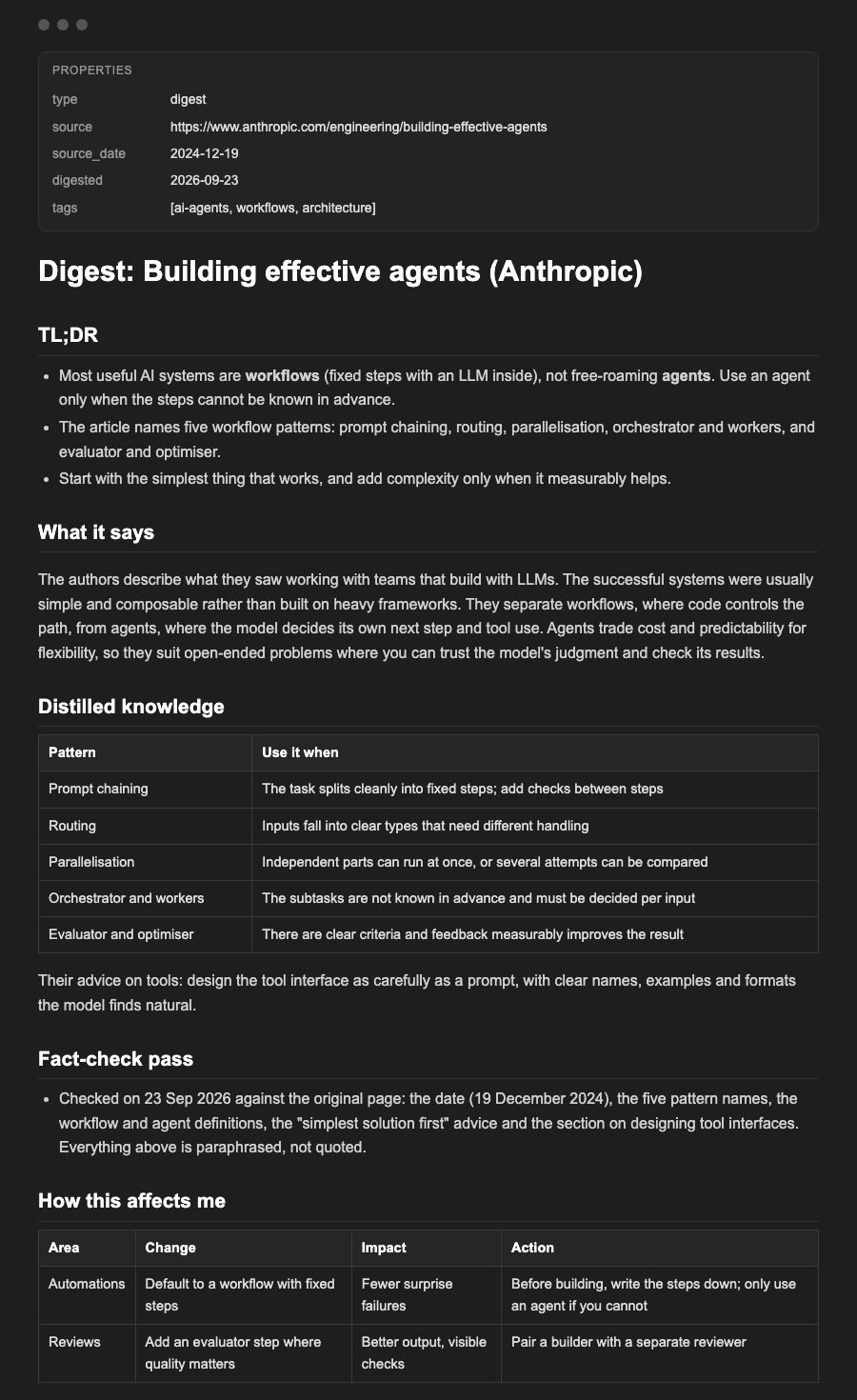
"Digest the newest clipping." The agent turns the saved page into one note: a three-line summary, the useful parts in plain words, a check of the three biggest claims against the original source, what it means for your work, and what to copy or ignore. Here is one made from Anthropic's "Building effective agents" article:
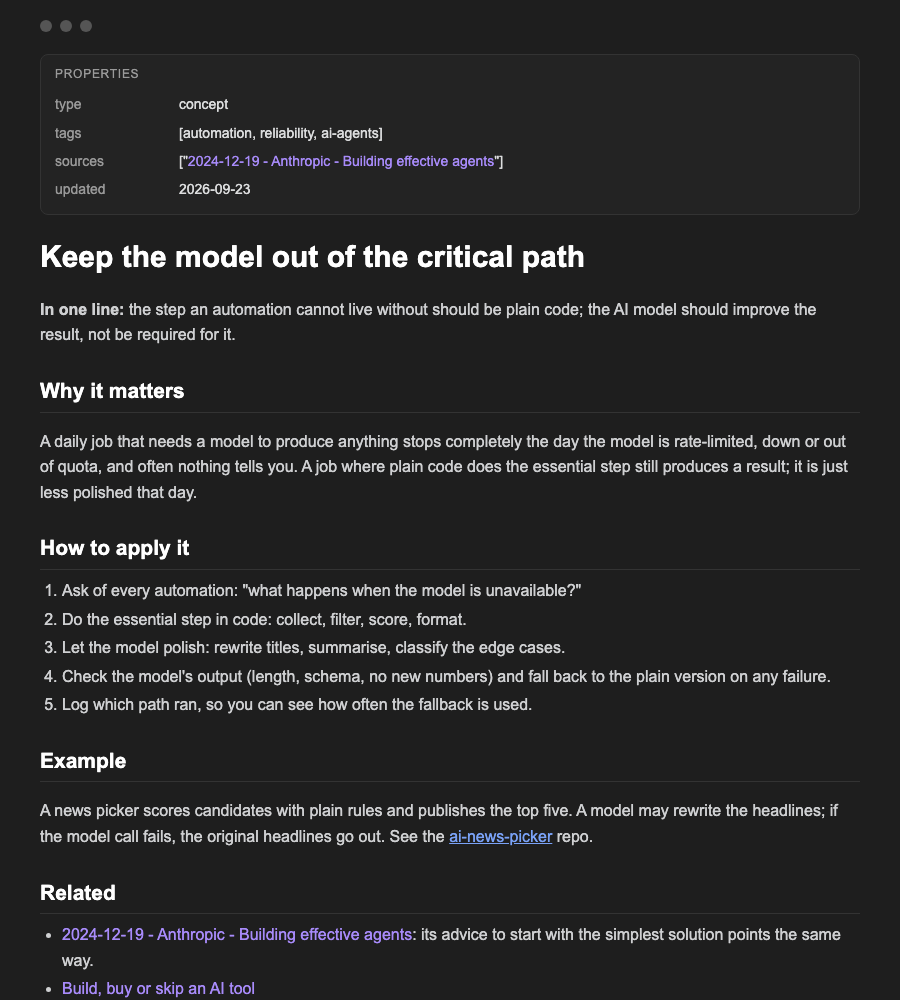
"Compile the wiki" on Friday. New clippings and saved transcripts become short idea notes, one idea each, linked back to every source that fed them. Nothing gets reprocessed and nothing gets deleted.
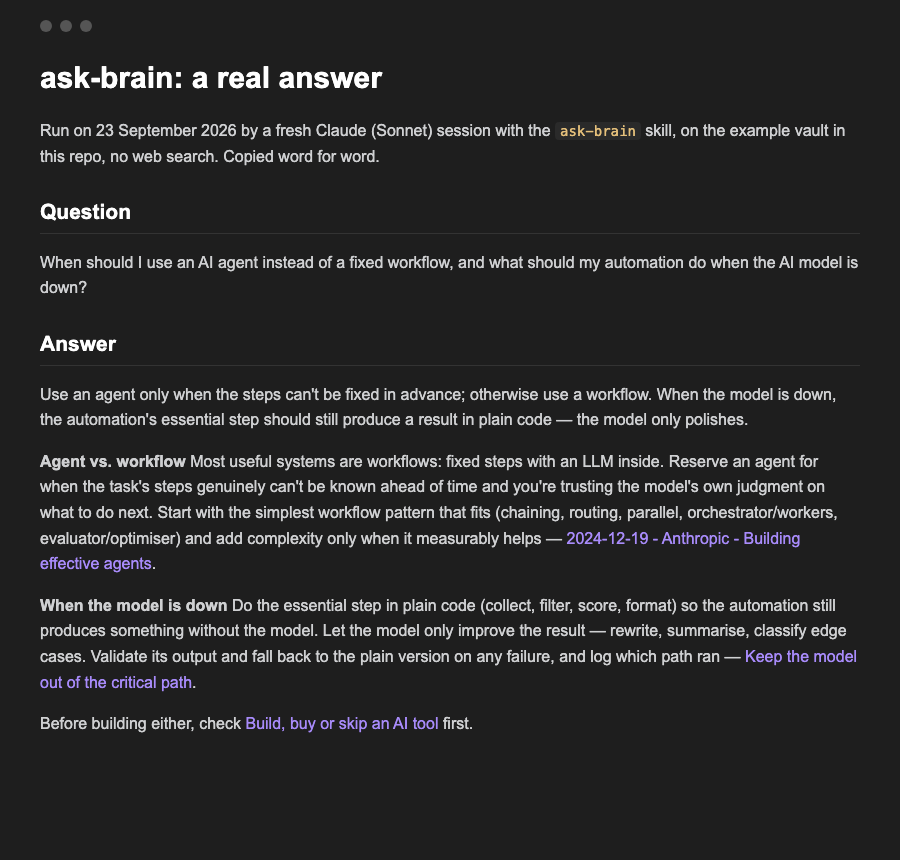
Ask it a question. For example: "When should I use an AI agent instead of a fixed workflow, and what should my automation do when the AI model is down?" The answer comes from your own notes first, with a link on every point. If your notes have nothing, it says so and asks before searching the web. This is the real answer from a fresh Claude session, using only the example vault:
"Weekly review" on Sunday. What happened, the patterns, the wins, where you got stuck, what to stop, start and continue, and one bet for next week. It reads the week's digests and idea notes, plus any short daily notes you write yourself, and every point links to the note it came from.
Start in 20 minutes
You need git and Claude Code. Codex works too. On Windows, use WSL.
- Install Obsidian and its Web Clipper browser extension.
- Create the vault:
git clone https://github.com/Rebelzxr/second-brain-agent.git, thencd second-brain-agentand./setup.sh ~/SecondBrain --link-skills. Using Codex as well? Add--codex. - In Obsidian, choose "Open folder as vault" and pick
~/SecondBrain. In the Web Clipper settings, set the save location to0_Inbox/Clippings. - Clip one article, start Claude Code in
~/SecondBrainand say "digest the newest clipping".
The rules your agent follows
- Read the vault before writing anything new, and update an old note instead of making a duplicate.
- Link every claim to its source, and keep "the source says", "I infer" and "unknown" apart.
- Put things in your own words; quote one short line at most.
- Never touch the notes you wrote yourself.
What it will not do
- It is a set of instructions for your agent, not an app. Better models write better notes.
- A fact-check is only as good as the sources the agent can reach. The note records what it could not check.
- The weekly review and the wiki need a few days of your own saved notes before they show anything useful.
Where I use it
My own vault runs on this layout: a clippings inbox, digests and idea notes, daily learning notes and a weekly review. The digest and wiki skills here are simplified from the ones I run, the weekly review is adapted from mine, and "ask the brain" is new for this public version.