



 Claude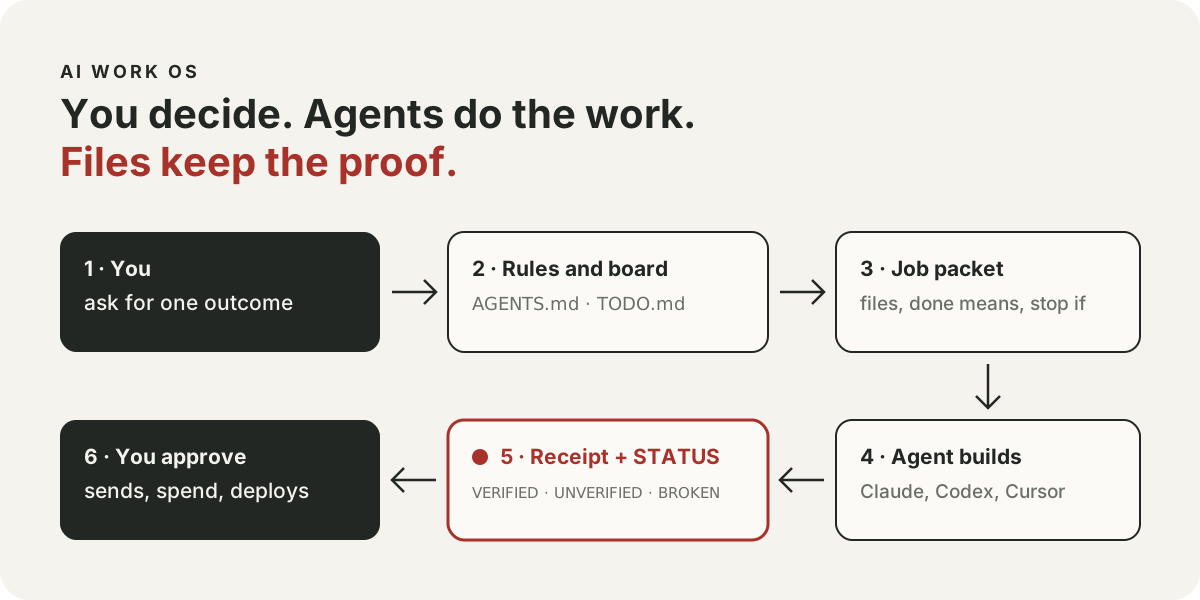
What it fixes
AI agents can research, write and build all day. The hard part is everything around the work: knowing what the agent actually did, stopping it before a command you cannot undo, and picking up tomorrow where you left off today.
AI Work OS is the layer I run my own work on, cleaned up so you can copy it. It is a folder of plain files plus a few small scripts. No server, no account, no subscription.
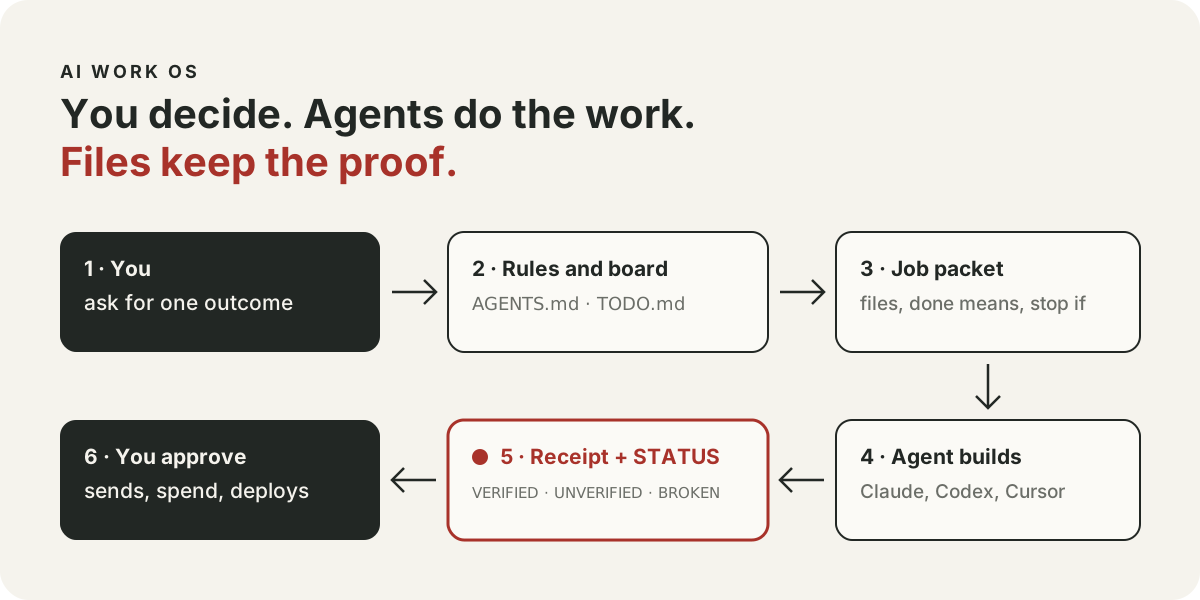
What a normal day looks like
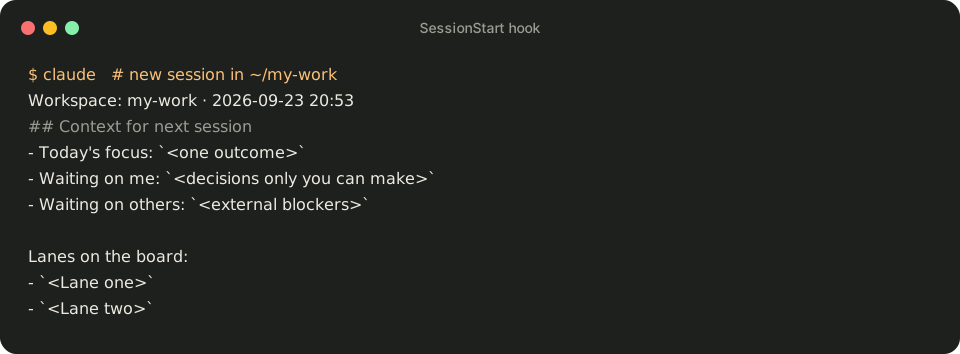
Morning: "what now". You open Claude Code in your workspace and type two words. Before the agent answers, a start-up script prints the top of your board: today's focus, what is waiting on you or on others, and your lanes (a lane is one project or area of work). The agent picks one outcome instead of asking you to explain everything again.
Midday: hand a job to another agent. Say "write a job packet for Codex to add a contact form; it may only change the contact page folder." You get a short file in dispatch/inbox/ with the goal, the exact files it may touch, the checks that mean "done" and when to stop and ask. Then open Codex in the same folder and say "run the packet in dispatch/inbox". Codex works from that file, not from a long chat. When it finishes, it leaves a receipt: what changed, what was checked, what is still unproven.
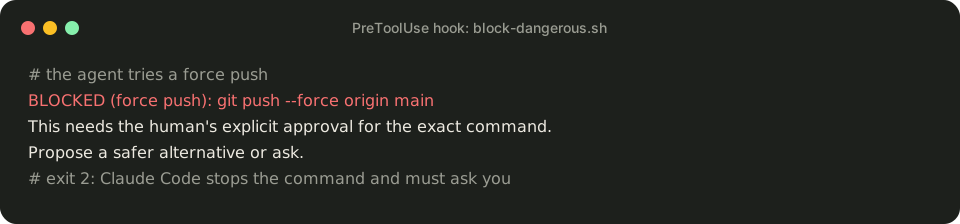
Any time: the agent tries something you cannot undo. Say the agent decides to force-push, which overwrites the shared copy of your code on GitHub and can wipe other people's changes. A safety check reads the command first, blocks it and tells the agent to ask you. The same check lets harmless commands through, even a commit message that mentions a dangerous command.
Evening: "eod". The agent writes a short log of the day ending with the exact next action, and updates the board if anything changed. Tomorrow's "what now" starts from there.
Three words you will see
- Board. One file,
memory/TODO.md, with one short row per outcome: who owns it, where it stands, the next action. - Receipt. The note an agent leaves after a job. If there is no receipt, the job is not done.
- STATUS line. Every "done" reply ends with
VERIFIED,UNVERIFIEDorBROKEN, plus the checks behind it. It turns "trust me" into "here is what I ran".
Start in 20 minutes
You need Claude Code, git and python3 on a Mac or Linux computer. On Windows, use WSL.
- Copy the workspace:
git clone https://github.com/Rebelzxr/ai-work-os.git, thencd ai-work-osand./setup.sh ~/my-work --link-skills. The last part makes the four built-in skills (like "eod" and "job packet") available to Claude Code. - Open
~/my-work/AGENTS.md. Put your name where it says<your name>, then read the table of what always needs you (money, sending, publishing, deleting shared data) and change it if your rules differ. - Put your first real outcome on
memory/TODO.md, one line. - Start Claude Code in
~/my-workand say "what now".
Using Codex too? Add --codex to step 1 and both agents share the same skills.
What it will not do
- The safety check is a careful pattern check, not a sandbox. It catches the common forms of dangerous commands, not every trick. The repo lists what it misses.
- The scripts run in Claude Code. Codex and Cursor follow the rules file, but nothing stops them automatically.
- A STATUS line records what was checked; it cannot prove the check was right. For anything public or about money, have a fresh agent review the actual files.
Where I use it
The library you are reading, the daily AI news and every release of this site go through the same board, packets, receipts and STATUS lines. Independent reviews kept finding ways to slip commands past the safety check; each one is now among its 213 tests.